
Type “iptv usa” into Google and you’ll get a dozen articles ranking five services against each other, written by people comparing marketing pages. None of them can tell you why a stream buffers at 8 PM on a Sunday, because none of them have ever had to fix it.
We can, because we’re an IPTV service provider ourselves.
We’re the team behind USAIPTVSubscription, and this isn’t a comparison article. It’s what we’ve learned running infrastructure for U.S. customers as an IPTV service provider — the parts that actually determine whether one is worth paying for, and the parts most buyers never think to ask about until their stream freezes mid-game.
Table of Contents
What “IPTV Service Provider” Actually Means (Beyond the Marketing Page)
An IPTV service provider isn’t just a list of channels. It’s three things working together:
- Server infrastructure — where the stream is actually hosted, how many servers exist, and whether load is distributed when thousands of people tune into the same event at once
- The app or player — how the service delivers content to your TV, Firestick, phone, or box, and how well it handles a dropped connection
- Support that responds when something breaks — not a chatbot, someone who can actually look at your account and tell you what’s wrong
Most comparison articles only ever talk about channel count. Channel count is the easiest number to fake and the least useful one for predicting whether your stream will hold up during a live event.
The Real Reason IPTV Providers USA Buffer (It’s Not Your Internet)

Here’s something we don’t see explained anywhere else: buffering during peak hours is usually a server-capacity problem on the provider’s end, not a customer’s WiFi problem — even though “check your internet speed” is the first thing most support teams say.
When a big U.S. sporting event airs, every customer on a provider’s servers tries to watch the same handful of channels at the same time. If a provider hasn’t built in enough server headroom for that spike, everyone buffers together, regardless of individual connection speed. This is why two people with identical 100 Mbps connections can have completely different experiences on the same provider during the same broadcast — one is on a server pool that’s overloaded, the other isn’t.
This is also the single biggest thing to ask about before subscribing to any IPTV subscription USA : not “how many channels,” but “how do you handle peak load during major events.” Most providers won’t have a real answer, because most haven’t planned for it.
A Simple Way to Test Any Provider Before You Commit
You don’t need to take a provider’s word for reliability. Here’s a five-minute test that works regardless of which service you’re evaluating:
- Start a free trial or short-term plan if one’s offered.
- Test during a high-traffic window — a Friday or Saturday night, ideally during a major live sports broadcast, not a quiet Tuesday afternoon.
- Watch for buffering, not just picture quality. A stream can look sharp for the first ten minutes and still fall apart once traffic spikes.
- Try switching channels quickly a few times in a row. Slow channel-change response is often an early sign of a strained server.
- Contact support with one real question before you buy a longer plan, and time how long it takes to get an actual answer.
If a provider holds up under all five, that’s a far stronger signal than any “best IPTV USA” ranking you’ll find on a review site.
Device Compatibility: What to Actually Check
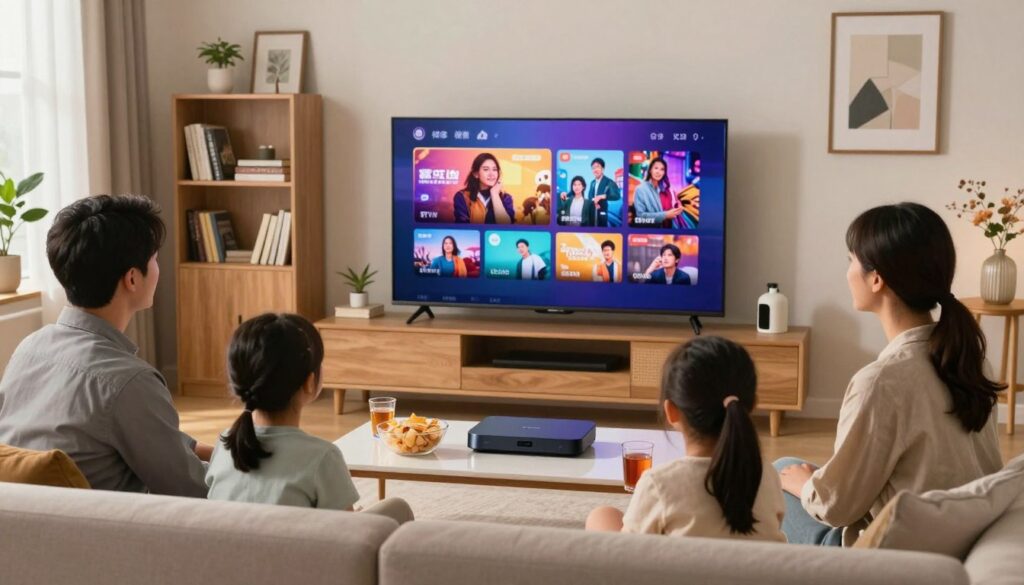
Most IPTV providers claim to work “on all devices.” In practice, quality varies a lot by device, and this is rarely explained honestly:
- Firestick / Fire TV — generally the easiest setup, but requires sideloading a player app since most IPTV apps aren’t on the official Amazon store
- Smart TVs (Samsung, LG) — support varies significantly by TV age and OS version; some smart TVs need an external device like a Firestick or Android box instead of running an app natively
- Android boxes — usually the most flexible option, since they can run almost any IPTV player app directly
- iOS/Android phones — works well for most providers, but battery drain during long viewing sessions is common and rarely mentioned upfront
If a provider can’t clearly explain setup steps for your specific device before you pay, that’s worth treating as a warning sign, not a minor inconvenience.
What We Do Differently
We’ve been running USAIPTVSubscription since 2020, and we’ve built our infrastructure specifically around the peak-load problem most providers ignore — distributing customers across multiple server pools rather than routing everyone through a single point that gets overwhelmed during big events. We currently support over 2,000 active customers across the USA, and our setup process is built to walk you through your specific device rather than handing you a generic PDF.
We’re not going to tell you we’re the only reliable option in this space — there are other legitimate providers out there, and the test above will tell you more about any of them than we ever could. What we can tell you is that if peak-hour reliability and straightforward setup matter to you, that’s exactly what we built around.
Frequently Asked Questions
Is IPTV legal in the USA? IPTV technology itself is legal — it’s simply a method of delivering television over the internet. Legality depends on whether the content being streamed is properly licensed, which varies by provider.
Do I need a VPN to use an IPTV subscription in the USA? Not typically for using the service itself, though some customers use a VPN for general privacy while streaming. This isn’t a requirement with USAIPTVSubscription.
How many devices can I use with one subscription? This varies by plan — check the specific device limits before subscribing, since simultaneous stream limits are one of the most commonly misunderstood parts of any IPTV subscription.
What internet speed do I actually need? A stable connection of 25 Mbps or higher is generally enough for HD streaming on a single device, though this depends heavily on the provider’s own server capacity — see the peak-load section above.



